Why Your Business Doesn’t Show Up on Google

SEO & Local Search

Why Your Business Doesn’t Show Up on Google (And How to Fix It)
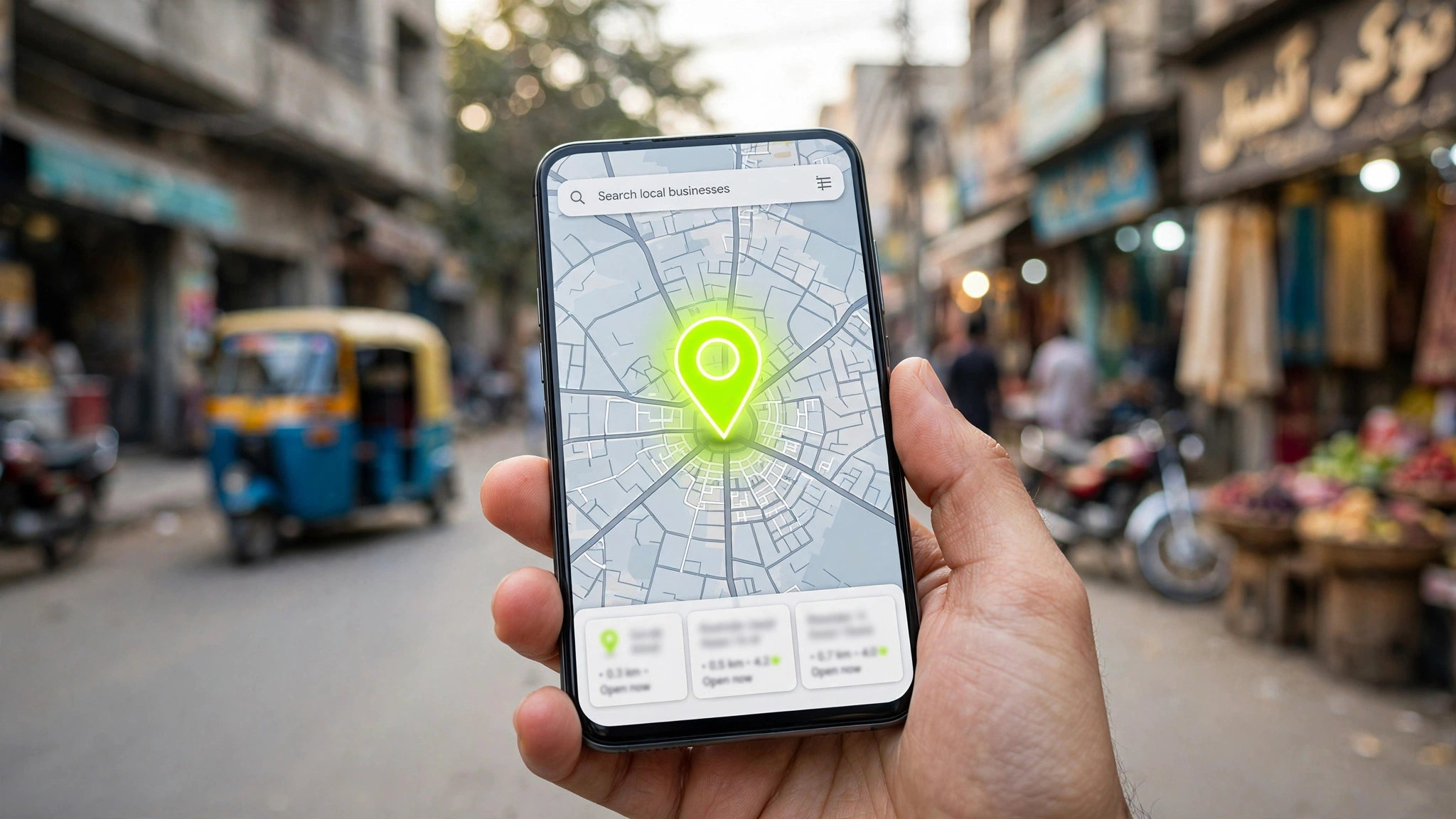
SmartGrow Digital · 6 min read

You could have the best product or service in your city — but if people can’t find you on Google, they’ll choose someone else. Not because they’re better. Because they showed up first.

If you’ve ever searched your own business name, or something like “[your service] near me,” and didn’t see your business anywhere on the first page, you’re not alone. Here’s why that happens, and exactly what to do about it.

Why You’re Invisible on Google

  • Your Google Business Profile is missing, incomplete, or unverified. This is the single biggest reason local businesses don’t show up. Google Business Profile is free, and it’s what powers the map results and “near me” searches most customers actually use. If yours isn’t set up — or hasn’t been touched in months — Google has no reason to trust or show it.
  • Your business information isn’t consistent everywhere. Google checks your business name, address, and phone number (NAP) across your website, social pages, and online directories. If your address is written slightly differently in three different places, it quietly hurts your credibility in Google’s eyes.
  • You have few or no reviews. Reviews are one of the strongest local trust signals Google uses. A handful of genuine, recent reviews often outperforms a polished website with none.
  • Your website doesn’t mention your city or service area clearly. If your homepage never actually says where you operate, Google has a harder time connecting your business to local searches in that area.
  • Your site is slow, or not mobile-friendly. A large share of local searches happen on a phone, often while someone is already out and about looking for a business right now. A slow-loading site loses that moment.

How to Fix It — In Order of Priority

  1. Claim and fully complete your Google Business Profile. Add your real hours, photos, services, and category correctly. Verify it if you haven’t already.
  2. Make your NAP (Name, Address, Phone) identical everywhere — website, Facebook, Instagram, Google Business Profile, any directory listings.
  3. Ask happy customers for reviews. Even five or ten genuine reviews make a measurable difference.
  4. Add your city and service area naturally into your website copy — homepage, service pages, and page titles.
  5. Check your site speed and mobile experience. If it takes more than a few seconds to load on a phone, you’re losing visitors before they even see what you offer.

The Bigger Picture

Local SEO isn’t a one-time fix — it’s an ongoing signal you send to Google that your business is real, active, and worth showing to nearby customers. The businesses that show up consistently aren’t necessarily the best ones. They’re the ones who did the basics right, and kept doing them.

Not sure where your business currently stands? We offer a free audit that checks exactly where you’re losing visibility — no pitch, no pressure.

Get Your Free Growth Plan

How to Scale an E-Commerce Brand with Paid Ads in 2026

Published by SmartGrow Digital · 6 Min Read

Running online ads today looks completely different than it did a few years ago. If you want to grow your e-commerce store in 2026, you need a smart approach that blends creative testing, fast conversion setups, and clear data tracking.

1. Stop Guessing: Test Ad Creatives First

The biggest reason e-commerce ad campaigns fail is testing weak visuals. Platforms like Meta and TikTok rely heavily on performance creative. Focus on:

  • Short-form video (Reels & Shorts): Show the product in action within the first 3 seconds.
  • High-contrast images: Clean studio shots or authentic user-generated content (UGC).
  • Clear hooks: Solve a specific problem right away in your ad headline.

2. Build High-Converting Landing Pages

Sending paid traffic straight to a clutter-filled home page burns your ad budget. Every campaign should direct visitors to a fast, mobile-friendly product page built with clean code and high conversion intent.

3. Fix Your Data and Pixel Tracking

If Meta or Google can't track who buys from your shop, their algorithms can't find similar buyers. Ensure server-side API tracking is properly installed across your store.

Ready to grow your online store?

Let our growth team handle your full funnel from ad creatives to custom web development.

Why Your Custom Website Needs More Than Just Good Looks

Published by SmartGrow Digital · 5 Min Read

A pretty website that doesn't generate sales is just an expensive digital brochure. To stand out online, your business site needs high speed, clean design architecture, and strong search engine optimization (SEO).

1. Speed is Your Number One Feature

If your website takes longer than 3 seconds to load, over half of your visitors will leave immediately. Optimize your images to modern formats like WebP and keep your code light.

2. Mobile-First Experience is Required

More than 70% of web traffic comes from smartphones. Your navigation, buttons, and text must be designed for smaller screens first, not added as an afterthought.

3. Structure Your Content for Search Engines

Google needs clear page headings (H1, H2, H3), structured internal links, and descriptive meta data to understand what your business does and rank you on page one.

The Complete Guide to Brand Identity for Small Businesses

Published by SmartGrow Digital · 4 Min Read

Your brand identity is how the world perceives your business. It is much more than just a logo—it includes your color palette, typography, graphic style, and visual consistency across all customer touchpoints.

1. Define Your Visual Theme

Colors evoke emotions. Dark backgrounds mixed with vibrant accents create a high-tech, premium feel, while soft earth tones create an organic, relaxed vibe. Choose colors that match your industry standard and stand out from competitors.

2. Maintain Consistency Across Platforms

Whether a user visits your website, views a Meta ad, or opens your social profile, your visual language should match seamlessly. Consistent branding builds trust fast.

3. Create High-Quality Marketing Assets

Invest in custom vectors, crisp social media templates, and clean promotional banners instead of generic stock graphics.

How Video Content and Motion Graphics Boost Conversions

Published by SmartGrow Digital · 5 Min Read

Video is the most powerful medium on the internet today. Using engaging motion graphics and short-form video edits can dramatically increase visitor watch time and campaign performance.

1. The 3-Second Hook Rule

On social platforms, you have less than 3 seconds to capture attention. Use bold text overlays, dynamic movement, and direct sound cues at the start of your video.

2. Add Subtitles to Every Video

Over 80% of users watch videos on mobile without sound. Adding clear, stylized captions ensures your offer gets communicated no matter how viewers watch.

3. Showcase Real Product Value

Demonstrate product features clearly through motion graphics or real-life footage to answer customer objections before they even ask.

What is Full-Stack MIS and How Does It Help Your Business?

Published by SmartGrow Digital · 6 Min Read

As your company expands, managing client data, sales records, and internal workflows manually becomes impossible. That is where custom Management Information Systems (MIS) and web applications come in.

1. Centralize Your Business Data

Instead of scattering operations across multiple spreadsheets, custom MIS software gathers all your critical business metrics into one secure, real-time dashboard.

2. Automate Daily Repetitive Tasks

Automated database workflows reduce human error, speed up customer management, and save hours of administrative work every week.

3. Build Web & Mobile Solutions Built to Scale

Using modern full-stack technologies like React, Vue, PHP, and SQL ensures your business platform stays fast, secure, and ready for future expansion.

Leave a Comment

Your email address will not be published. Required fields are marked *

Scroll to Top